One file. Native screens.
Agents built in.
omxcode is an app framework written in Mojo. You describe the screen once, as a spec; each platform's own toolkit draws it, and an AI agent uses the same spec as tools.
One framework, one app, three functions. How it works inside, and why agents get it too.
How the best GPU apps are written, and how this differs.
Building apps, data, tests, and everything agents can do.
One framework. One app. Three functions.
An app is one struct. Its fields are its state.
__init__: the state it starts with.
update: something happened, so change the state.
view: describe the screen from the state.
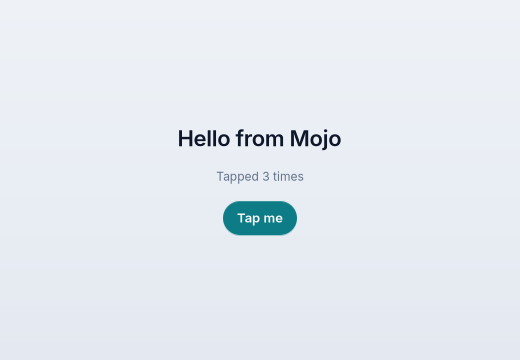
The button sends TAP. Back to update. That's the whole loop.
comptime TAP = 1


struct Main(App):
    var taps: Int

    def __init__(out self):
        self.taps = 0
def update(mut self, event: Event):
    if event.message == TAP:
        self.taps += 1

def view(self) -> View:
    return VStack(
        Text("Hello from Mojo", style=TITLE),
        Text("Tapped " + String(self.taps) + " times", style=CAPTION),
        Button("Tap me", on_tap=TAP, style=PROMINENT),
        spacing=16,
    )
view() returns the spec.
The app asks for a button.
A button is one Node: its kind, its title, the message it sends.
A Node is plain fields. There's also a tag, a tooltip, a size…
The whole screen is a flat list of Nodes: the spec. Data, not widgets. Everything else reads it.
Button("Tap me", on_tap=TAP, style=PROMINENT),return _one(Node(BUTTON, title, on_tap, style=style, hint=icon))struct Node(Copyable, Movable, Equatable, Writable): var kind: Int var text: String # label text, button title, field contents, toggle label var msg: Int # message sent on tap / change / toggle / select
Guess what: agents can use it too.
The agent reads the spec, and controls the app through it. Nobody wrote it an API.
One node. Three readers.
Linux: Mojo calls GTK's own C function. No C bridge in between.
The web: a real <button>, so the browser draws its own.
An agent: a tool. Its name is the tag or the text; its description, the tooltip.
None of them knows this app. They only read the spec.
else:
    w = external_call["gtk_button_new_with_label", Int](t.as_c_string_span())
if not n["hint"]:
    return Button(n["text"], id=nid, cls=cls, data_kind="button", **common)
elif n["msg"]:
    self.add(tag or slug(text), i, tip or f'Button "{text}"', prefix=prefix)
Two GPU languages…
The kernel is CUDA C++, compiled by nvcc. NVIDIA only.
Each thread works out its pixel from block and thread indices.
It writes one pixel.
Drawing it is a shader, in GLSL, compiled by the driver.
__global__ void fractal(uchar4* out, int w, int h, float scale) {
    int x = blockIdx.x * blockDim.x + threadIdx.x;
    int y = blockIdx.y * blockDim.y + threadIdx.y;
    if (x >= w || y >= h) return;
    out[y * w + x] = colour(x, y, w, h, scale);  // the maths: a __device__ function
}
uniform sampler2D picture;
in vec2 uv;
out vec4 colour;
void main() { colour = texture(picture, uv); }
…and C++ to join them.
Once: share an OpenGL buffer with CUDA.
Every frame: map it, launch the kernel into it, unmap it.
OpenGL makes the buffer a texture, GPU to GPU.
Then draws a rectangle with the shader. The picture never leaves the GPU.
cudaGraphicsGLRegisterBuffer(&res, pbo, cudaGraphicsMapFlagsWriteDiscard);
// Every frame: the kernel writes into that buffer, on the GPU.
cudaGraphicsMapResources(1, &res);
cudaGraphicsResourceGetMappedPointer((void**)&pixels, &bytes, res);
fractal<<<dim3((w + 15) / 16, (h + 15) / 16), dim3(16, 16)>>>(pixels, w, h, scale);
cudaGraphicsUnmapResources(1, &res);
// OpenGL turns it into a texture (GPU to GPU) and draws a rectangle with it.
glBindBuffer(GL_PIXEL_UNPACK_BUFFER, pbo);
glTexSubImage2D(GL_TEXTURE_2D, 0, 0, 0, w, h, GL_RGBA, GL_UNSIGNED_BYTE, 0);
glUseProgram(shader);
glDrawArrays(GL_TRIANGLE_STRIP, 0, 4);
On Apple: two languages, and very clean.
The kernel is in Metal's shading language.
Swift asks the view for its next frame…
…and hands the kernel the screen's own texture.
The kernel writes the screen directly. No copy at all.
Excellent, and Apple only. The buttons around it are SwiftUI, another layer again.
kernel void fractal(texture2d<float, access::write> out [[texture(0)]],
                    constant float& scale [[buffer(0)]],
                    uint2 gid [[thread_position_in_grid]]) {
    out.write(colour(gid, scale), gid);  // straight into the screen's texture
}
view.framebufferOnly = false  // (once: let a kernel write the screen's texture)

func draw(in view: MTKView) {
    guard let drawable = view.currentDrawable,
          let commands = queue.makeCommandBuffer(),
          let encoder = commands.makeComputeCommandEncoder() else { return }
    encoder.setComputePipelineState(fractal)        // the compiled .metal kernel
    encoder.setTexture(drawable.texture, index: 0)
    encoder.setBytes(&scale, length: 4, index: 0)
    encoder.dispatchThreads(MTLSize(width: w, height: h, depth: 1),
                            threadsPerThreadgroup: MTLSize(width: 16, height: 16, depth: 1))
    encoder.endEncoding()
    commands.present(drawable)
    commands.commit()
}
Do the best apps draw with the GPU? Yes.
Games, Blender and Figma draw their whole interface with the GPU.
Zed, a code editor, draws every letter with GPU shaders. Chrome paints web pages on the GPU.
Even plain toolkits do: GTK 4, Apple's Core Animation and every browser put windows together on the GPU.
So drawing with the GPU isn't what's new here. Writing for it is.
Yesterday's code. Tomorrow's.
// the maths: a __device__ function
__device__ uchar4 colour(int x, int y, int w, int h, Params p);
// the kernel: find your pixel, check the edges, write it
__global__ void fractal(uchar4* out, int w, int h, Params p) {
    int x = blockIdx.x * blockDim.x + threadIdx.x;
    int y = blockIdx.y * blockDim.y + threadIdx.y;
    if (x >= w || y >= h) return;
    out[y * w + x] = colour(x, y, w, h, p);
}
// host code, every frame: map the shared buffer, launch, unmap
cudaGraphicsMapResources(1, &res);
cudaGraphicsResourceGetMappedPointer((void**)&pixels, &bytes, res);
fractal<<<dim3((w + 15) / 16, (h + 15) / 16), dim3(16, 16)>>>(pixels, w, h, p);
cudaGraphicsUnmapResources(1, &res);
// then OpenGL: buffer to texture, and a rectangle drawn by a GLSL shader
glTexSubImage2D(GL_TEXTURE_2D, 0, 0, 0, w, h, GL_RGBA, GL_UNSIGNED_BYTE, 0);
glDrawArrays(GL_TRIANGLE_STRIP, 0, 4);
def mandelbrot(x: Int, y: Int, w: Int, h: Int, p: Params) -> UInt32:self.gpu.draw[mandelbrot](surface, self.params())
Canvas(0, self.version).width(WIDTH).height(HEIGHT),
The maths: a __device__ function becomes a plain function.
Thread indices to find your pixel become two arguments, x and y.
Checking the edges and writing the pixel: omxcode does both. The function returns a colour.
Map, launch with grid and block sizes, unmap: one call. On Linux and the Mac the picture stays on the GPU.
A texture drawn by a shader: a Canvas in view().
Three languages and two compilers become one language and one compiler.
Side by side.
| C++ · CUDA · OpenGL | Swift · Metal | omxcode | |
|---|---|---|---|
| Languages you write | C++, CUDA C++, GLSL | Swift, Metal | Mojo |
| The kernel | thread indices by hand | thread position attribute | a function of x and y |
| The same maths on the CPU | shareable (__host__ __device__), its own launch code | rewritten in Swift or C++ | the same function, through render_on_cpu |
| Pixels to the screen | stay in GPU memory | stay in GPU memory | stay in GPU memory on Linux (NVIDIA) and the Mac; copied through main memory on the web, for now |
| GPUs | NVIDIA | Apple | NVIDIA and Apple, through MAX (AMD untested) |
| Buttons around it | Qt or ImGui, more C++ | SwiftUI | each platform's own, same file |
| An agent can use it | only through an API you write | only through an API you write | yes: the controls around it are tools, and a Canvas takes gestures |
Not faster. One language and one file, from the button to the kernel, and agents included.
One file. Each platform's own controls.
The same view(), built three ways: scripts/build.sh <app> linux, web, mac.
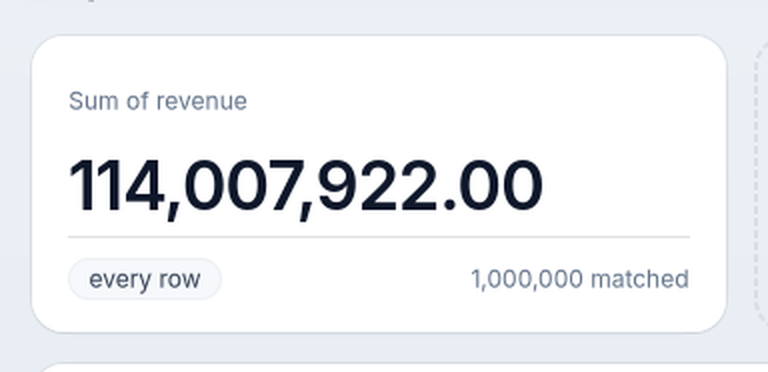
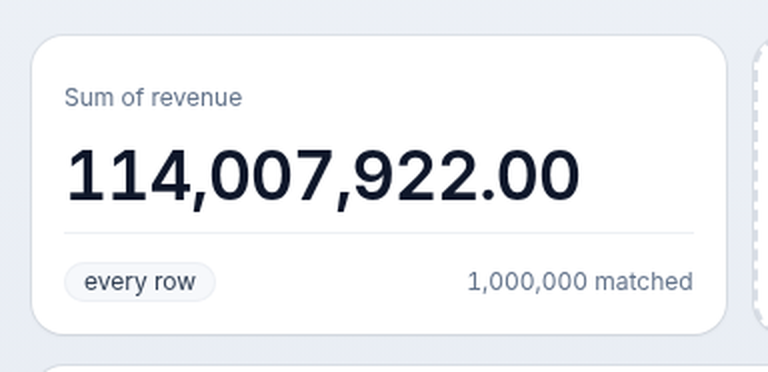
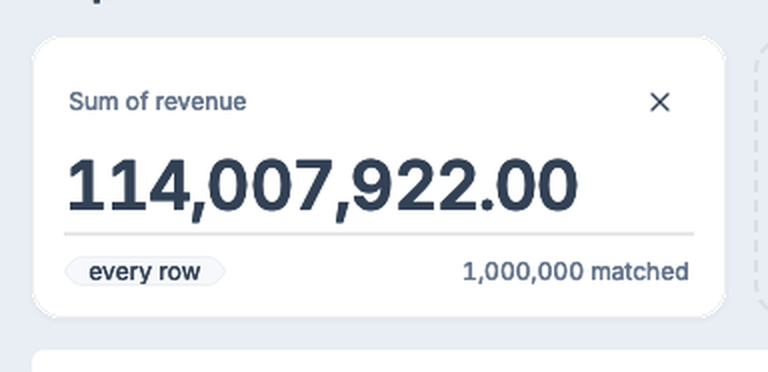
Not a drawn imitation of a button: the platform's own.
A look is one method.
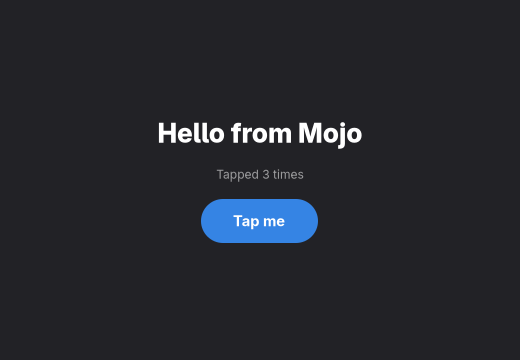
Without a theme, the app looks native: Adwaita on Linux.
Add three lines returning liquid()…
…and the same app wears Liquid. Nothing else changes.
Fluent, Omarchy and Paper ship too. A theme is plain Mojo in themes/.
def theme(self) -> Theme:
    return liquid()
A list is a loop.
One row per task: a plain for over the data.
Each row is a checkbox and a Remove button, side by side.
No tasks? A line that says so.
The screen is always exactly the data. There's nothing to keep in sync.
def view(self) -> View:
    var rows = List[View]()
    var left = 0
    for t in self.tasks:
        if not t.done:
            left += 1
        rows.append(HStack(
            Checkbox(t.title, t.done, on_toggle=TICK + t.id).grow(),
            Button("Remove", on_tap=REMOVE + t.id).tooltip("Remove " + t.title),
        ).fill())
    if len(rows) == 0:
        rows.append(Text("Nothing to do yet", style=CAPTION))
Which row was tapped?
Give each kind of row message a base: TICK is a million.
Task 7's checkbox sends TICK + 7.
update takes the base off and has the 7 back.
One number says what happened and to which task.
comptime TYPING = 1
comptime ADD = 2
comptime TICK = 1_000_000  # TICK + a task's id: its box was ticked or cleared
comptime REMOVE = 2_000_000  # REMOVE + a task's id: its Remove button
Checkbox(t.title, t.done, on_toggle=TICK + t.id).grow(),
Button("Remove", on_tap=REMOVE + t.id).tooltip("Remove " + t.title),
elif m >= TICK:
    var tick = db.prepare("UPDATE tasks SET done = ? WHERE id = ?")
    tick.bind(1, event.number)
    tick.bind(2, m - TICK)
    tick.run()
Data that stays: SQLite.
Open the file, and make the table if it isn't there.
Read every task back, row by row.
On each change, the app writes the table, then reads it back: one source of truth.
Close the app, open it again: the tasks are there.
def open_db() raises -> Database:
    make_dir(config_dir("tasks"))
    var db = Database(config_dir("tasks") + "/tasks.db")
    db.exec("CREATE TABLE IF NOT EXISTS tasks(id INTEGER PRIMARY KEY, title TEXT, done INTEGER)")
    return db^
def load(db: Database) raises -> List[Task]:
    var tasks = List[Task]()
    var q = db.prepare("SELECT id, title, done FROM tasks ORDER BY id")
    while q.step():
        tasks.append(Task(q.int(0), q.text(1), q.int(2) == 1))
    return tasks^
Test the real widgets.
Steps in one variable: type, tap, press Return, tick.
The app presses the real GTK widgets, prints what each shows, and quits. No window needed.
The web build, in a headless browser, prints the same lines.
MOJOUI_TEST="type:What needs doing?=Buy milk;tap:Add;\
type:What needs doing?=Call Ada;submit:What needs doing?;\
toggle:Buy milk" build/tasks/linux/tasks
LABEL: Tasks
FIELD:
BUTTON: Add
CHECK: Buy milk=on
BUTTON: Remove
CHECK: Call Ada=off
BUTTON: Remove
LABEL: 1 left
The view becomes tools.
GTK turns the view into widgets. The web turns it into HTML.
The agent host turns it into MCP tools.
No per-app code: scripts/agent.sh tasks hands the app to Claude Code.
screen
Field "" (placeholder "What needs doing?") → what-needs-doing
Button "Add" → add
Checkbox "Buy milk" = off → buy-milk
Button "Remove" (Remove Buy milk) → remove
Checkbox "Call Ada" = off → call-ada
Button "Remove" (Remove Call Ada) → remove-2
"2 left"
It hears what changed. In words.
The agent calls a tool, the way a person taps.
The reply says what's new on screen, and which tools appeared.
No screenshots to compare, no coordinates.
what-needs-doing text="Buy milk" submit=true
Did what-needs-doing.
Now: 1 left
Tools now 4; new: buy-milk, remove
The screen is the permission model.
An agent can do nothing a person couldn't.
A disabled button is no tool. A dialog's buttons are tools only while it's open.
A call missing a value is refused, never guessed.
buy-milk
ValueError: buy-milk needs "on"

buy-milk on=true
Did buy-milk.
Now: 1 left
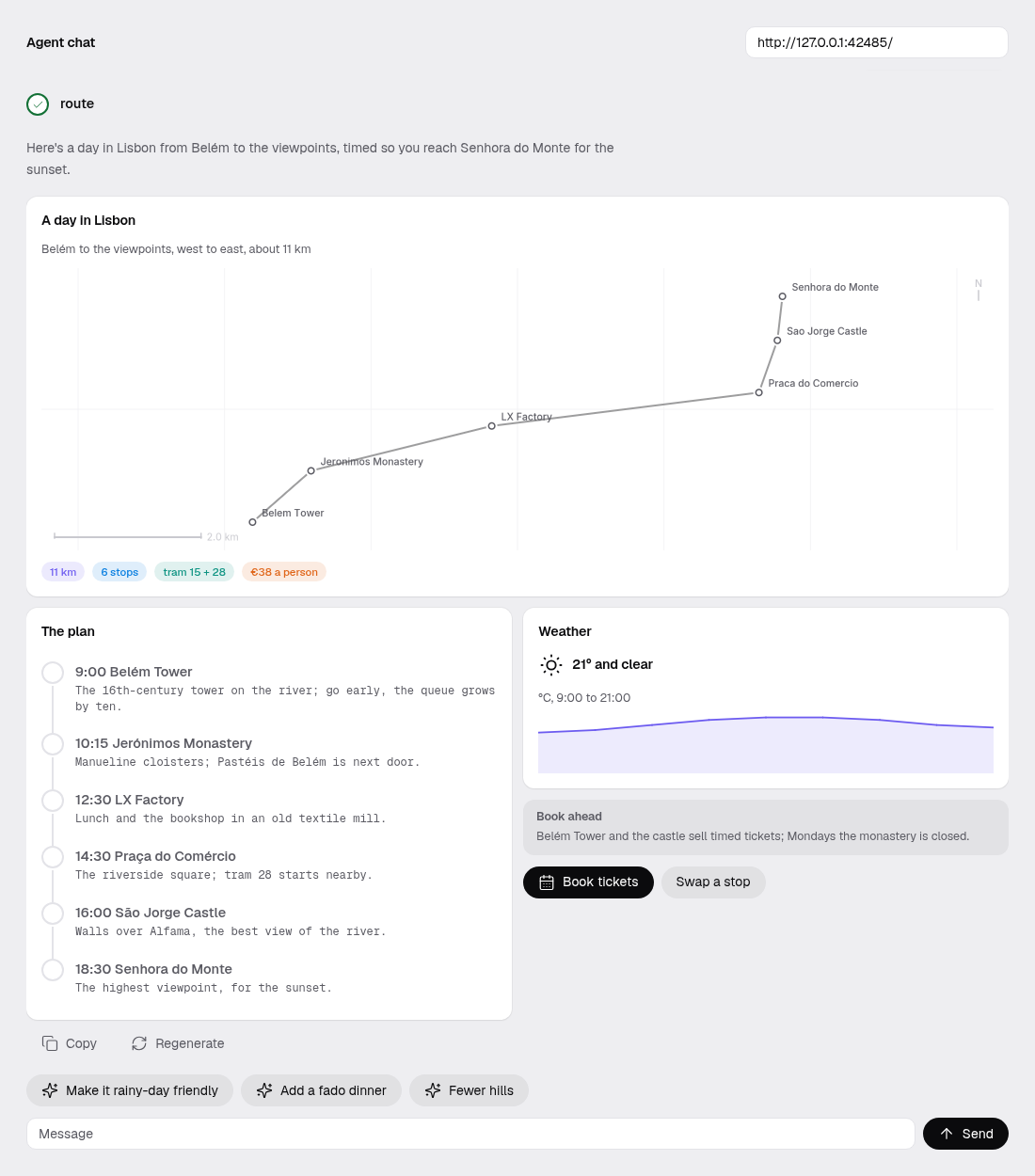
Agents answer with native screens.
The other direction: an omxcode app is an AG-UI client.
The agent answers with a screen as data, from a catalog of 38 components.
The app checks it and draws it with real widgets.
No HTML, no code from the agent. Anything outside the catalog is refused, and the agent is told why.
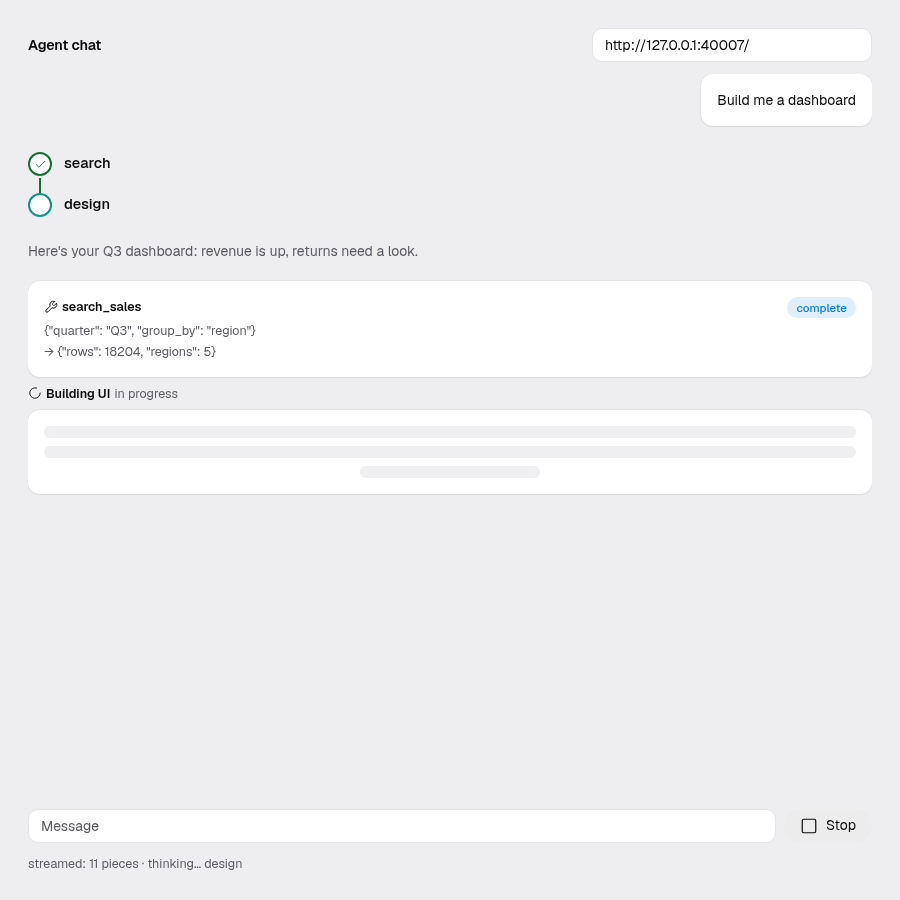
The screen builds while it streams.
The agent's JSON arrives in pieces.
A tolerant reader draws whatever has arrived. Parts not here yet show a skeleton.
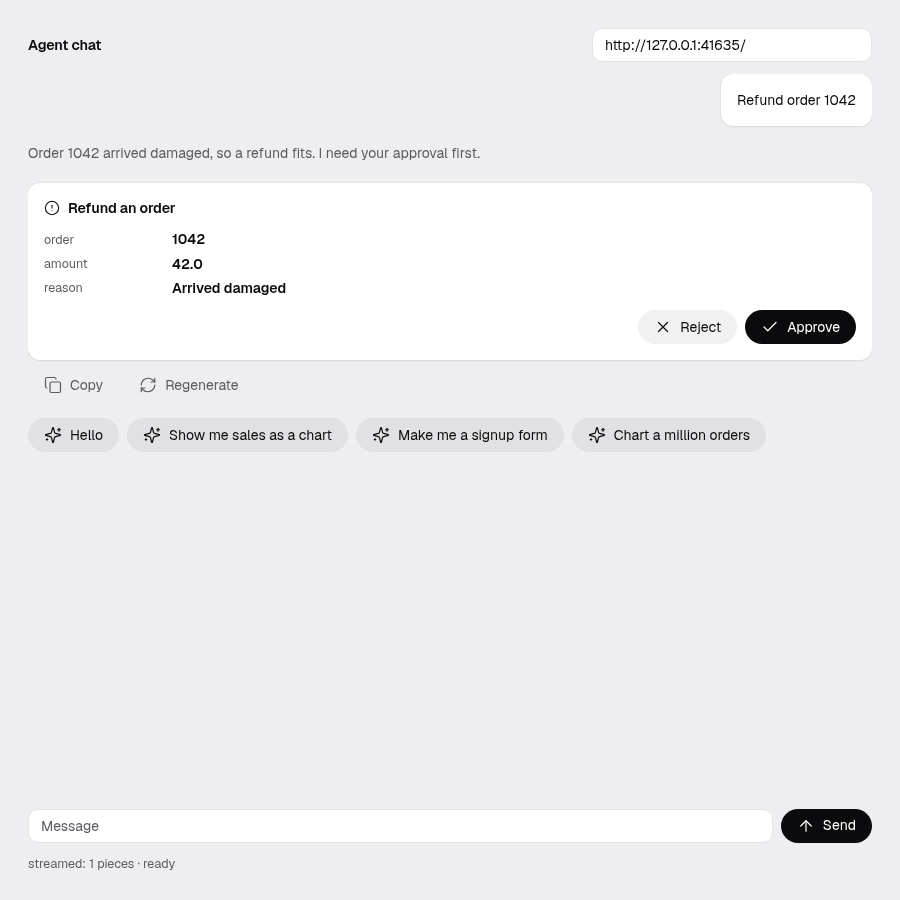
An approval waits for a person. The answer goes back to the agent.
A million rows. None sent by the agent.
The agent names a dataset the app already holds.
The app binds a grid to it. The rows stay in the app, queried by its own engine.
Pictures work the same way: the agent names one; it never sends pixels or links.
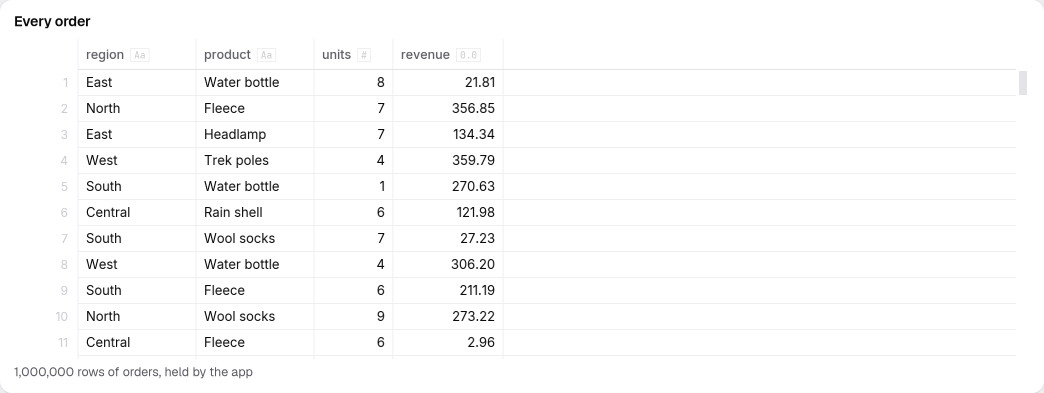
An agent in the app's own process.
A LocalAgent is any Mojo struct with one method.
Given a run, it answers with AG-UI events.
No HTTP, no other language, no server to start. Its events go through the same handler as a remote agent's.
trait LocalAgent:
    """An agent in the app's own process (goal 48 M5): no HTTP, no other language. Given a run's input (the same
    RunAgentInput JSON a remote agent gets) it answers with AG-UI events, as JSON, in order; the app reads them with
    the same handler a stream's pieces go through (Agent.run_local, or mojoui.agentchat's AgentChat.feed)."""

    def respond(mut self, input: String) -> List[String]:
        ...
The sentence is the interface.
In omxplorer, a chart's title is the chart.
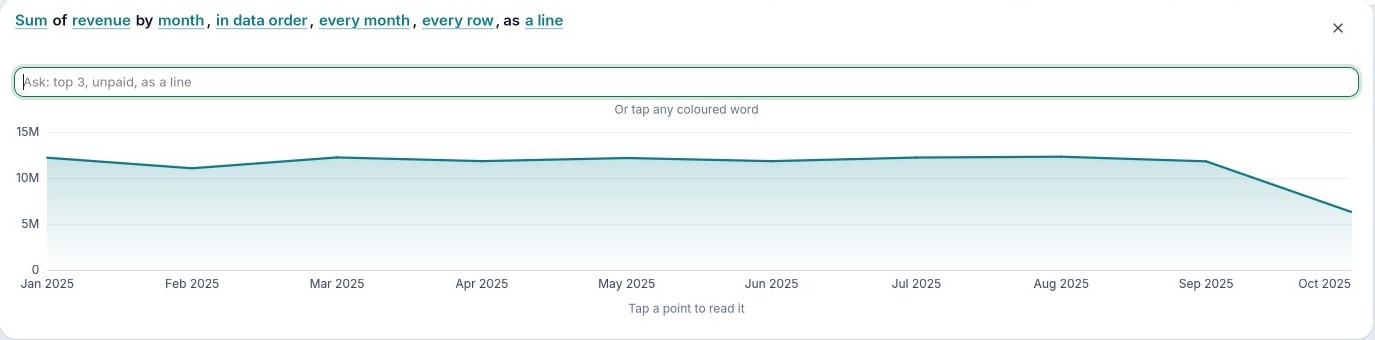
Every coloured word is a setting: tap it, or type “by product, largest first, top 5”.
A person, a keyboard and an agent edit the same sentence.
It doesn't hang. By design.
update() and view() only decide.
Anything slow is a request, a timer or a job, on another thread.
Its answer comes back to update() as an ordinary event.
State is only touched on the UI thread: no locks, no races in app code.
Five rules, for a person or an agent writing an app: docs/ui-threads.md.
What runs today.
| Linux (GTK 4) | runs, checked by scripts/check |
|---|---|
| The web | runs, checked in Chromium by scripts/check |
| Agents (MCP, AG-UI) | run, checked; AG-UI against Pydantic AI and LangGraph |
| Mac (AppKit) | builds; runs on GitHub's macOS machines; wide screens overflow (open) |
| Android | runs on the emulator |
| iPhone | builds, not run yet |
| Windows | waits for Mojo itself |
Start here: your first app, then a todo app, then your own model.